
What Is a 360 Virtual Tour? A Plain-English Guide
No jargon. Just what it is, how it works and where people will actually see it.
Service and Format Guides · 4 August 2026 · 3 min read
Written by the Biztour team - Google Trusted Photographers since 2013.
A 360 virtual tour is a set of panoramic photographs, stitched into 360-degree scenes and linked together so a visitor can move from room to room the way they would walking through the door. Instead of scrolling a gallery of separate photos, they explore a space at their own pace, look up, look down, and stop wherever they like.
We've been building these for UK businesses since 2013, when we were among the first Google Trusted Photographers in the country. 1,338+ tours later, this is the explanation we give clients who ask what they're actually paying for.
- Not a single 360 photo. Multiple linked scenes, connected by hotspots.
- Not a video. No playback, no soundtrack, entirely visitor-controlled.
- Not an app. Opens in any browser, on any device, nothing to install.
- Not permanent. An enhanced tour can be updated when your space changes.
It's connected scenes, not a photo gallery
Each scene is a single 360-degree photograph taken from one spot in the room. A tour links several of these together with clickable hotspots, so moving between them feels like walking rather than clicking through a slideshow. A small retail unit might need 10 scenes; a large venue with several distinct areas might need 30 or more.
That's the practical difference between a virtual tour and a normal photo gallery. A gallery shows you what a photographer chose to frame. A tour lets the visitor choose where to look.
Want this costed for your own space?
Tell us the size of the place and what it is for. You get a written quote, and we aim to reply within 15 minutes in business hours.
Where it actually shows up
The most common place is your Google Business Profile, where it appears alongside your regular photos on Google Maps and in Search. It's also common to embed the same tour on your own website, share the link directly, or drop it into an email.
Because the tour lives on Google's own infrastructure (for the Google format) or on a dedicated hosting platform (for Matterport), it keeps working long after the shoot: no plugin, no app, no login required to view it.
The two formats: Google and Matterport
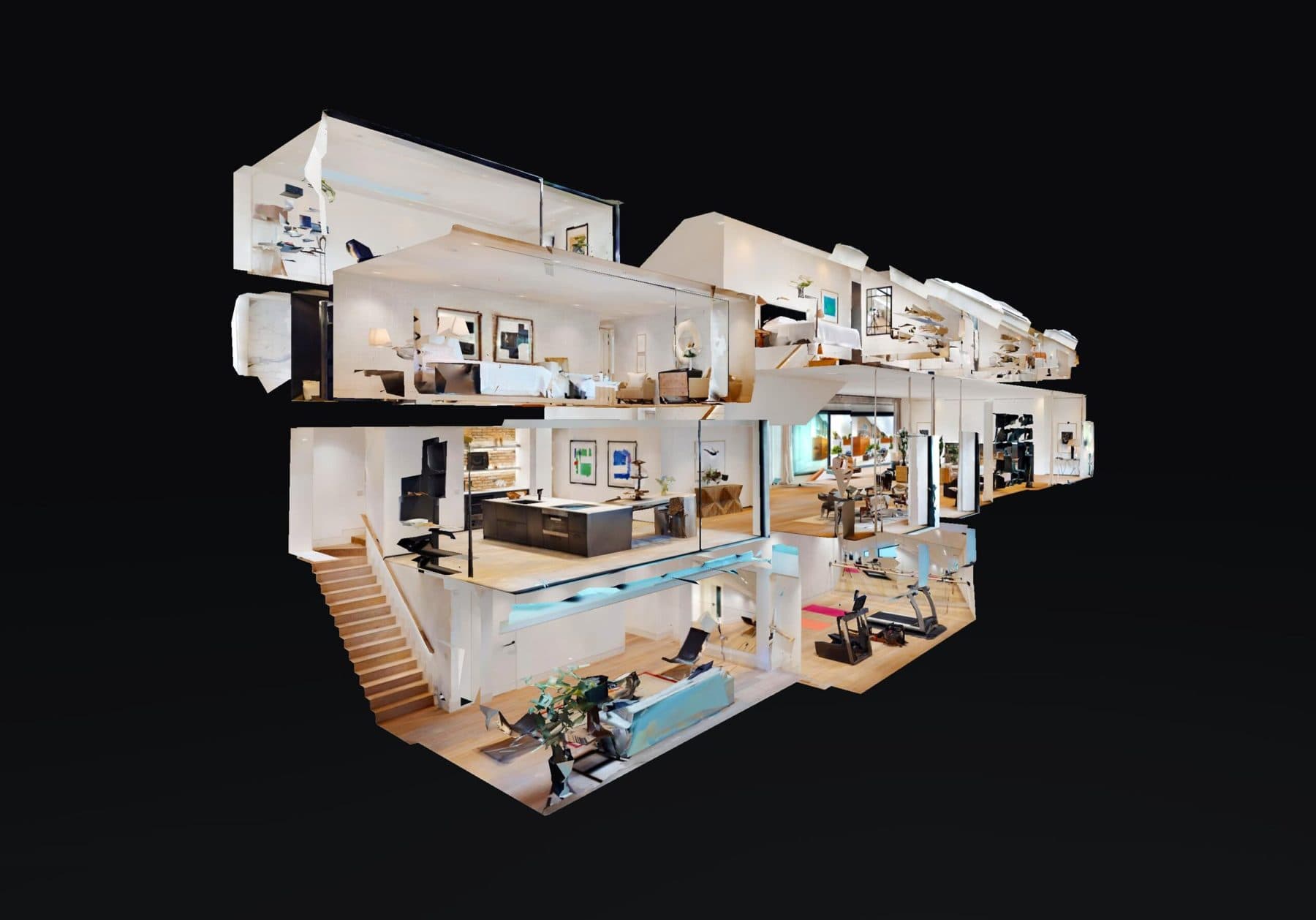
A Google virtual tour is built for Search and Maps: it's the format most businesses want because that's where their customers are already looking. A Matterport tour adds a 3D dollhouse view and precise measurements, which matters more for property, construction and anywhere floor plans and square footage are part of the sale.
Most businesses only need one. If you're not sure which, our comparison of Google vs Matterport breaks down when each one earns its keep.
Questions people ask
How many scenes does my business need?
Most single-space businesses like cafes and small retailers need 10 or fewer scenes, which is our Small tier at £525. Spaces with a few distinct areas, like clinics, showrooms and gyms, usually need up to 20 scenes (Medium, £825). Large venues with multiple zones go up to 30 (Large, £950), with extra scenes at +£300 per additional 10 beyond that. All prices are plus VAT.
Do I need special equipment to view one?
No. A 360 virtual tour opens in any modern browser on desktop or mobile, the same as any web page. There's nothing to install and nothing to download.
Can I add my own branding or booking links?
Yes, with an enhanced tour. Hotspots inside the tour can carry your logo, a floor plan, a brochure or a contact form, placed in the room the visitor is standing in when they decide.
360 virtual tours for every kind of business
Over 13 years of shooting means we've worked in almost every kind of space. Find yours to see what a tour does for your industry.
Trusted by














Ready to open your doors 24/7?
Our prices start at £525 and are based on your specific requirements. We aim to respond to all form submissions and email enquiries within 15 minutes during business hours.
5-star rated on Google


